
26 Study Music Tracks Without Lyrics — Choose Piano, Celtic or Baroque While You Work
Study music without lyrics can be tested one track at a time while you keep doing your current task. If you are already reading or writing, start with “Cloud Shadows on the Page” at 19:00 in the piano video. It runs for 3:47; its published description pairs felt piano with harp and presents it for reading or studying.
If you are just starting, “Opening the Blue Window” at the beginning of the same video is another entry point. It runs for 3:45. Its published description starts with felt piano, then adds celesta and strings, for getting ready in the morning or beginning work. These two tracks let you notice whether the melody or instruments stand out without changing tasks.
Try three types of long-form music without lyrics
These published videos contain 15 piano, 15 Celtic and 13 Baroque tracks. Choose one type and hear its tracks in order.
 15 tracks
【作業用BGM】巨木の森を旅する1時間|穏やかなケルト音楽・読書と集中に
A music video containing 15 tracks, including Where the Ferns Part, Green Light on the Old Steps, The Traveler Becomes Small, and more. Watch the video and open each track at its exact start time.
62:28
 13 tracks
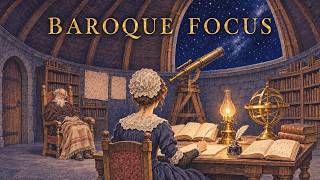
Night Shift at the Old Observatory | Baroque Study Music for Deep Focus|天文台の夜 バロックの勉強用BGM
A music video containing 13 tracks, including Prelude for the Night Shift, Copying the Records, Measuring the Stars, and more. Watch the video and open each track at its exact start time.
57:34
 15 tracks
【雲を眺めていたい日に】澄んだ空のピアノBGM 1時間|作業・勉強・読書|a gentle piano playlist ☁️
A music video containing 15 tracks, including Opening the Blue Window, Laundry in the Wind, A Bird on the Sill, and more. Watch the video and open each track at its exact start time.
56:58
How to compare tracks and what to change when one stands out
Keep the type of task and your device’s volume setting unchanged while comparing. Continue the same book or the same kind of problem. Otherwise, it becomes hard to tell what drew your attention. You do not need a fixed listening period: the tracks here run from 3:45 to 4:59, so use one track as a guide and stop earlier if it already stands out.
If the background music draws your attention, lower the volume first. If it still does, switch to another track of the same type, another type, and then silence. You do not need to finish a track because it has no lyrics or tolerate it because it is tagged for study. The Arizona Online and UMGC study guides also mention lyrics and volume as considerations; use them here to identify what stands out during your own task.
Choose piano by whether you are starting work or already reading
The piano cards in this article are “Opening the Blue Window” and “Cloud Shadows on the Page.” Their lengths differ by only two seconds, so use the instrumentation and intended situations in their published descriptions instead: the former when starting work, and the latter when you are already reading or writing.
If you follow the piano melody, you can switch to the second piano track or move to Celtic or Baroque. If choosing again is itself a burden, start the 15-track piano video at the beginning and try its running order. This article highlights two piano tracks, while the full video contains 15.
Compare gentle and bright Celtic tracks at the same 4:10 length
All 15 Celtic candidates run for 4:10. Start “Where the Ferns Part” at the beginning of the video, then switch to “A Clearing No Map Keeps” at 16:39. The former has the public tag gentle and the latter bright.
Their published descriptions center the first track on wire-strung Celtic harp and low wooden flute, and the second on a gut-strung lute. Keep reading or solving the same problems while switching and notice only which instrumentation or melody stands out.
If you prefer to hear a group before narrowing the options, use the 15-track Celtic video. The roughly 62-minute video and the 15 Celtic cards in this article cover the same 15 tracks.
Compare moods in Baroque tracks of the same 4:15 length
While solving problems or preparing material, compare “Prelude for the Night Shift” at the start of the video with “The Error in the Old Ledger” at 26:32. Both run for 4:15. The former is publicly tagged gentle; the latter dramatic and orchestral. Their published descriptions feature harpsichord and violin respectively.
For a slightly longer option, “Starting the Sums Again” at 30:50 runs for 4:59. Its published description presents it as a passacaglia whose variations build over the same bass. Notice whether those variations stand out while you solve problems.
The article has nine Baroque cards ranging from 4:00 to 4:59. The roughly 58-minute Baroque video contains 13 tracks in all, including those nine.
Choose one track or listen for about an hour
To try tracks in their running order without choosing first, select one long-form video: about 57 minutes of piano, 62 minutes of Celtic, or 58 minutes of Baroque. They contain 15, 15 and 13 tracks respectively. Of those 43 tracks, this page provides individual cards for two piano, 15 Celtic and nine Baroque tracks, 26 in total.
Use a card when you want to start from a specific title, duration or public tag, or save an available audio file. A long video is an entry point for hearing a set in order; the cards are an entry point for previewing and, when needed, saving a chosen track. You can find a track in a long video and return to its card.
Separate listening from using the audio as material
You do not need to save audio just to listen on YouTube while studying. To use music in your own video, stream or game, save a downloadable track from the 26 cards and check the audio usage guide. All 26 listed tracks are currently downloadable. The guide describes downloadable free BGM as royalty-free, available for commercial and non-commercial use without credit. Reselling or redistributing the audio by itself and using it as AI training data are prohibited.
References
Start with quiet piano
Try two piano tracks without lyrics and notice whether their melodies distract you.
- 1
Piano
The two piano tracks run for 3 minutes 45 seconds and 3 minutes 47 seconds. Their public tags classify both as gentle, healing and suitable for focus. The roughly 57-minute long-form video contains 15 tracks in total, including these two.
Use it forTrying quieter music, Reading & writing, Choosing piano
These sounds from arcalune
Compare gentle Celtic music
Compare three tracks built around the same forest scene, focusing on differences in gentleness, relaxation and nostalgia.
- 2
Celtic
These 15 forest-themed Celtic tracks each run for 4 minutes 10 seconds. With duration held constant, switch from a candidate tagged gentle to one tagged bright and keep whichever draws less attention during the same task. Selecting a card starts playback at that track’s position in the video. The long-form video contains all 15 tracks and runs for about 1 hour 2 minutes.
Use it forTrying a long-form option, Forest atmosphere, Comparing Celtic music
These sounds from arcalune
- Where the Ferns Part4:10
- Green Light on the Old Steps4:10
- The Traveler Becomes Small4:10
- Roots Across the Path4:10
- A Clearing No Map Keeps4:10
- Sunshafts After Noon4:10
- Blue Cloak Among Leaves4:10
- The Path Narrows Quietly4:10
- Flowers Beside the Sword4:10
- Shade Beneath Twin Oaks4:10
- The Brook Behind the Moss4:10
- Leaves Turn Toward Evening4:10
- One Lantern Under Cedars4:10
- The Long Green Return4:10
- Last Sun on the Canopy4:10
Try Baroque track by track
Rather than treating all classical music as one category, compare how these three tracks differ in development and mood.
- 3
Baroque
The nine Baroque tracks selected for this article run from 4 minutes to 4 minutes 59 seconds. Narrow them to the duration you need, compare a candidate tagged gentle with one tagged dramatic and orchestral at the same volume during the same task, and keep whichever draws less attention. Selecting a card starts playback at that track’s position in the video. The roughly 58-minute long-form video contains 13 tracks in total, including these nine.
Use it forTrying classical music, Comparing musical movement, Working at night
These sounds from arcalune
For reading or writing already in progress, try “Cloud Shadows on the Page”; when beginning work, try “Opening the Blue Window.” To compare tags and instrumentation at the same length, use the Celtic pair “Where the Ferns Part” and “A Clearing No Map Keeps.” For a Baroque comparison during problem practice, use “Prelude for the Night Shift” and “The Error in the Old Ledger.”
If one track stands out, lower the volume, then move to another track, another type or silence. Use a long-form video when you want a set. You do not need to compare all 26 at the outset.
FAQ
- What should I listen to first?
Choose one example close to your current task. For reading or writing, try “Cloud Shadows on the Page”; when starting work, try “Opening the Blue Window.” You can also begin with the featured Celtic or Baroque tracks.
- How should I use one track versus an hour-long video?
Use a card to choose by title, length or tag, and a long-form video to hear the running order without choosing again. The piano and Baroque videos contain more tracks than their article cards.
- What if the background music distracts me?
Lower the volume. If it still stands out, switch to another track of the same type, another type, and then silence. No single volume or listening period fits everyone.