
What Is Video Game Music? History, Loops, and Adaptive Music
Video game music is music used in games. It includes background music for exploration, fanfares that signal a win, and music that responds to the player’s actions. It can use anything from electronic tones to a full orchestra.
Early arcade games used repeating sounds. On home consoles, short themes could repeat for as long as a scene lasted. In some games the score changes as a battle progresses. Listen for when the music starts, where it repeats, and what makes it change.
What role does music play in a video game?
When you win a battle, for example, a short fanfare may announce the result. Background music may continue while you walk through a forest, then switch to another section or add percussion when an enemy spots you to signal danger.
Music that changes with the state of a game is called interactive music or adaptive music. An abrupt switch can strongly mark a new scene, while layering sounds over music that continues can change the atmosphere gradually.
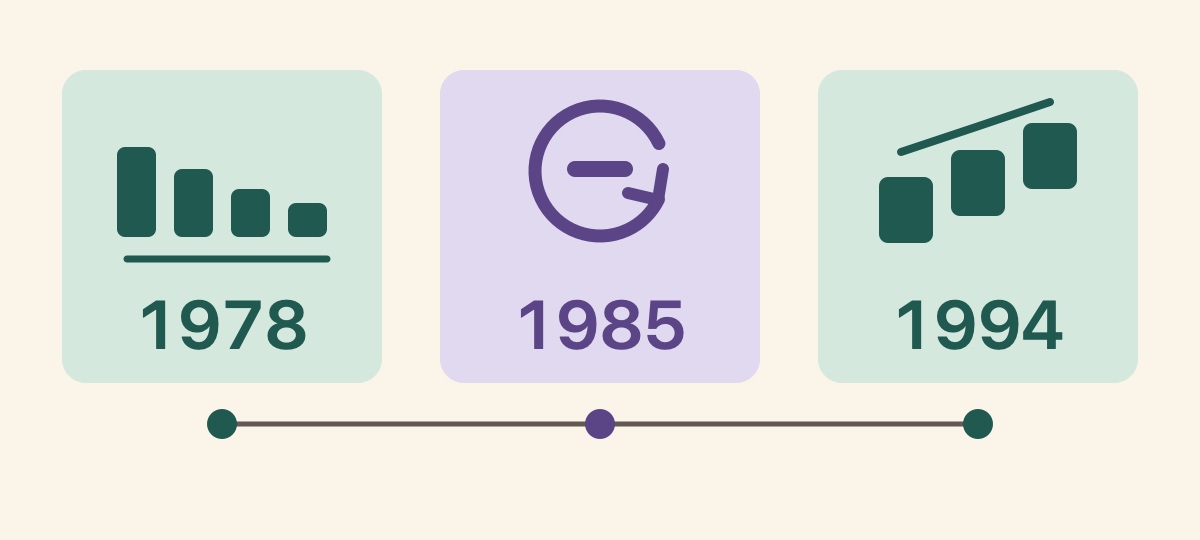
A history of video game music through works from 1978, 1985, and 1994
In the 1978 arcade game Space Invaders, four notes created by Tomohiro Nishikado repeated continuously. According to an exhibit from The Strong, the tempo increased as the enemies approached the player’s bases. Changes in tempo made the enemies’ progress audible.
In the 1985 home video game Super Mario Bros., Koji Kondo’s main theme included short, repeatable sections. The amount of time a player remains in a scene varies each time. Repeating a short unit allows the music to continue for as long as the player stays there.
In the 1994 game Final Fantasy VI, Dancing Mad, the music for the final battle, moves to its next movement as the boss changes form. The musical development reflects how far the battle has progressed.
A fixed loop returns from the end of a section to its beginning
The time spent exploring changes depending on whether the player knows the route or stops to take detours. A fixed loop repeats the same section A during that time. Some pieces play an introduction only once and then repeat the section that follows.
To hear the loop, use the melody or accompaniment at the start of the section as a marker. Find the point where the same combination of sounds returns again, and you can estimate the length of one cycle. Nobuo Uematsu has cited the field music in Final Fantasy VII as an example with a four- to five-minute loop.
Section switching moves from exploration in A to battle in B
Another method selects the next section according to the game state. In the middle row of the diagram, exploration continues in section A, then section B begins when battle starts. Each game’s design determines whether the music changes immediately or waits for the end of the current section or for a position that aligns with the beat.
In the Final Fantasy VI example described by Sho Iwamoto, the music waits for the looping section to end before connecting to the next one. Listen for where an action or change of state becomes audible in the music to understand how the transition is constructed.
According to creator Hideaki Kobayashi, the 2000 game Phantasy Star Online played a sequence of short musical blocks lasting about three to four seconds each. When the game moved from exploration to battle, the order of the blocks changed, and music heard only during the transition was inserted.
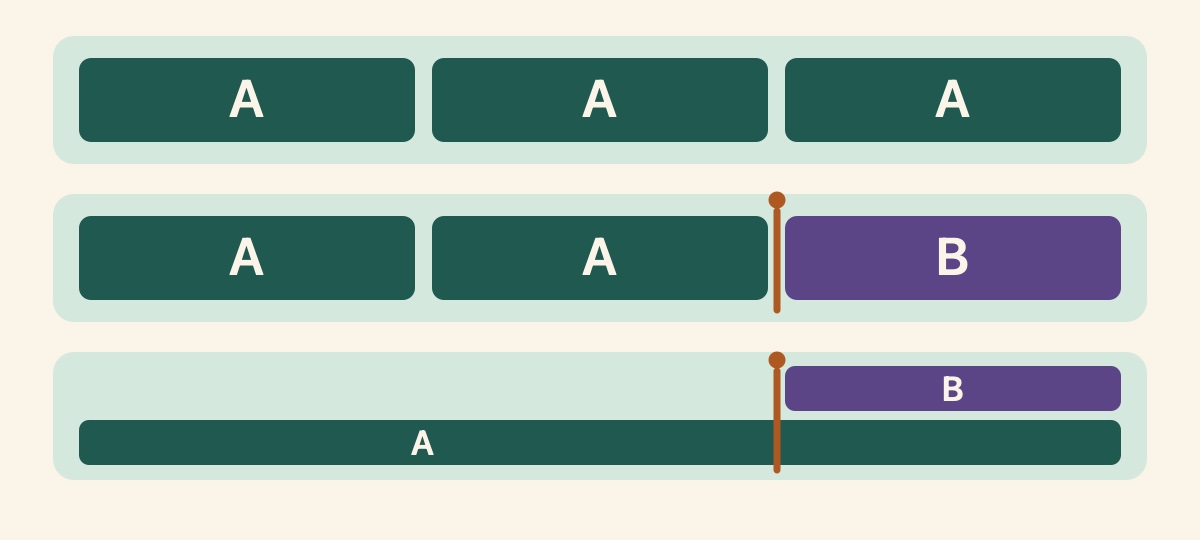
Layering sounds changes the tension while keeping the original music
Another method adds or removes instrumental parts according to the scene while the same music continues. For example, accompaniment A may continue as the player walks through a forest, then percussion B may join when an enemy approaches. When the danger passes, the percussion may recede while the original accompaniment remains.
To hear this, choose one sound that is present before the change and check whether it continues afterward. Then follow the sounds that enter or disappear. In the middle row of the diagram, A gives way to B. In the bottom row, A and B sound at the same time.
Compare three tracks for a title screen, forest exploration, and battle
“Prelude of the Crystal” (3:08) is music for a title screen. Listen to the first 30 seconds from 0:00 and notice which sound first draws you into the game world.
“Green Deep” (2:58) is designed with a forest scene in mind. Listen to 30 seconds from 1:27:07 in the same video and consider whether it brings to mind pausing to look around or continuing farther along the path.
“Draw Your Blade” (2:53) is intended for a standard battle. Listen to 30 seconds from 1:53:24 in the same video. Compare how the melody and rhythm help you picture the three scenes.
These three tracks are listening examples for choosing background music by scene. When adding one to a game, check the end of the track separately from the loop and transition points you actually configure.
Three royalty-free tracks for games and videos
Our three original background tracks featured here can be downloaded for free. Under their royalty-free terms, they can be used in commercial or noncommercial games, videos, and streams. There is no additional charge for each use, and no credit is required.
Reselling or redistributing the audio on its own and using it for AI training are prohibited. Before use, check the track page for the download indicator and read the current audio usage guide.
References
- 1
Three game background tracks for a title screen, forest, and battle
These three tracks were chosen for different scenes. Each listening link opens the compilation video at the start of that track.
These sounds from arcalune
- Prelude of the Crystal3:08
- Green Deep2:58
- Draw Your Blade2:53
In a game you play often, listen to what happens before and after a battle or when you move between maps. Follow what triggers the change, which sound begins, and which sound remains to reveal how the game’s music responds to each scene.
FAQ
- What is video game music?
Video game music includes victory fanfares, background music for exploration, and pieces that change with the player’s actions or the state of the game.
- What is the difference between a short cue and background music?
A short cue plays once to signal a result such as a choice or achievement. Background music supports a continuing scene such as exploration or battle. A cue and background music may overlap within the same scene.
- How can I hear a loop in video game music?
Listen for the point where the same melody or accompaniment returns repeatedly to estimate the length of one cycle. Only the section after an introduction may repeat, so when implementing the music, also check the distributor’s notes and the return point configured in the game.
- How does music change with a video game scene?
Methods include switching from exploration section A to battle section B, adding another sound layer over the same foundation, and changing the order of short blocks. The transition point, beat synchronization, and mix vary by implementation.
- What is interactive music?
Interactive music changes in response to the player’s actions or the state of the game. It may move to another section when exploration turns into battle or add percussion to the same piece as danger approaches.
- Can I use the three featured tracks in games, videos, or streams?
Yes. Each track can be downloaded for free and used royalty-free under the audio usage guide. No credit is required in commercial or noncommercial games, videos, or streams. Reselling or redistributing the audio on its own and using it for AI training are prohibited.