
Choosing Free Music for Indie Animation | Movement and Pauses
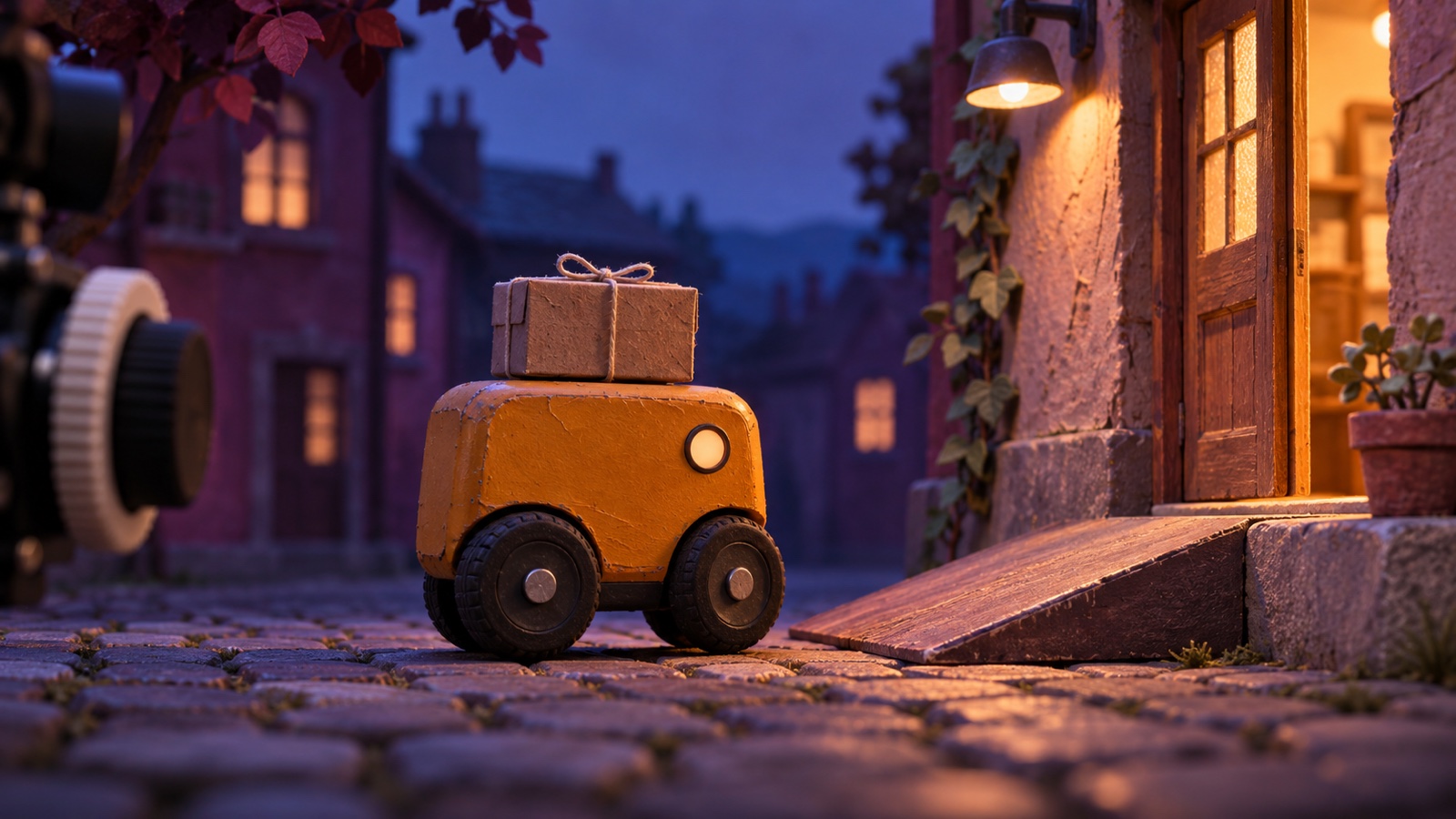
When choosing background music for an indie animation, first decide which movement you want viewers to notice. If a small robot starts rolling, you can test whether the music should preview the action, enter as the wheels turn, or follow after the movement begins.
This guide places the same cue over the same 12-second shot and changes only its position. You can also compare the openings of three free tracks for the start of a scene, continuing motion, and the pause that follows.
Choose music from finished animation or animate to music
If the visuals are ready first, watch them once without sound and mark where movement begins, changes direction, and stops. When searching for music, listen not only for the mood but also for whether a phrase begins near each mark and how long the sound lingers.
You can also choose the music first and build the visuals around it. In the 1949 short Begone Dull Care, Evelyn Lambart and Norman McLaren painted colours and shapes directly onto film in response to music performed by the Oscar Peterson Trio. The National Film Board of Canada describes moments when the visual and musical rhythms match and others when a gap separates them. In your own animation, you can choose one noticeable change in the music and decide where the visual movement should meet it.
Place the same sound before, on, and after motion in a 12-second shot
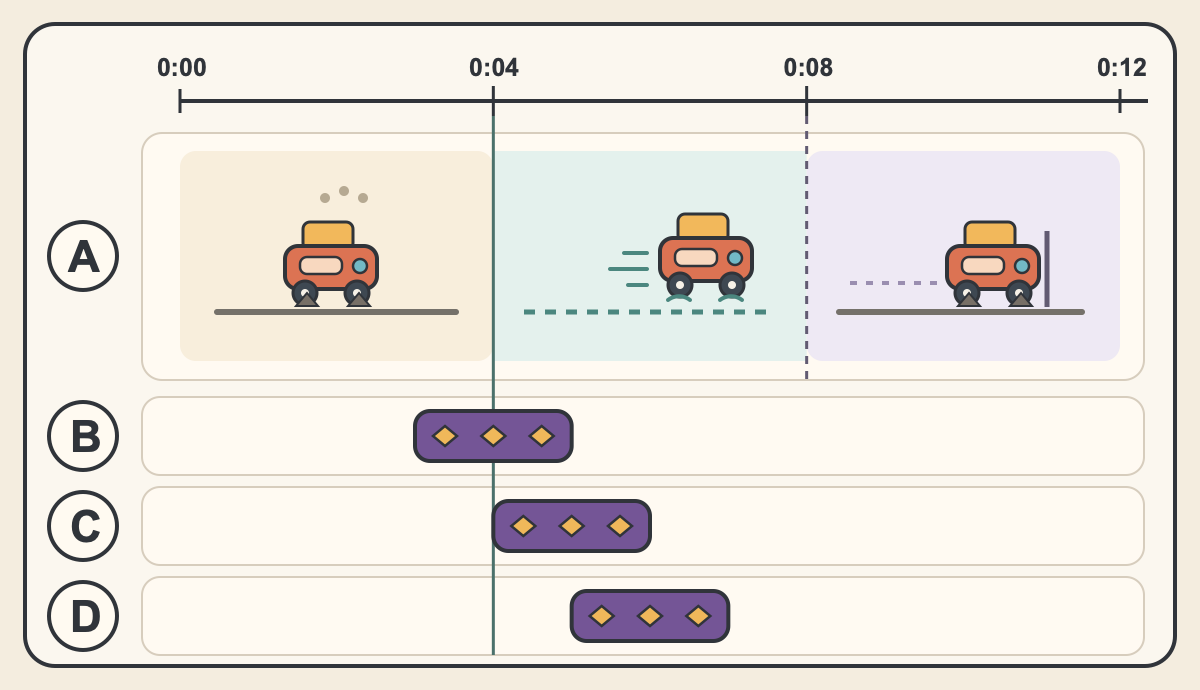
Imagine a shot in which a small robot delivers a package. Its wheels begin turning at 0:04, it stops in front of a door at 0:08, and the shot changes at 0:12. The diagram assumes a two-second musical cue. Keep the visuals and volume the same and change only when the cue begins.
Starting at 0:03 lets viewers hear the cue before the wheels turn, so check whether it makes the movement feel anticipated. At 0:04, the musical accent coincides with the wheels starting. At 0:05, the movement appears first and the cue follows. Watch each version once and compare whether the wheels or the music draws your attention first.
B, C, and D in the diagram are three alternatives using the same cue. Try B to preview the movement, C to emphasize the instant the wheels begin turning, or D to show the movement before adding sound. Compare one option at a time with the same visuals and volume.
Listen to the pause after the stop and leave room for dialogue and sound effects
If the door remains on screen after the robot stops, start by testing a short musical cue that ends before the stop, as shown in the diagram. If you want the sound of the door opening or a character's line to be heard, leave enough time for it. If music should carry the mood of the scene into the pause, compare another cut in which the phrase continues after the robot reaches the door.
If the choice is unclear, watch from just before the stop to the next shot with no sound, with your chosen background music, and with the music turned down. If an important line or action sound is buried, adjust the volume or entry point. You can also leave silence where there is no speech or movement for as long as the image needs to remain on screen.
Compare three tracks for openings, motion, and endings
All three tracks appear in the official video Diamond Dust over the Rime Forest. First Track at Dawn is 3:45 long. It was created around a scene of making the first trail across a snowfield, moving from glassy bells and glockenspiel into a gentle beat. Listen from 0:00 in the official video and consider which sound should enter first in a quiet opening.
The Long Glide Down is 3:45 long. It was created around a scene of gliding down a snowy slope, with an arrangement built around arpeggios and bells. Listen from 26:34 in the official video and test where a melodic change could meet a shot with continuing movement.
Skis by the Cabin Door is 3:44 long. It was created around arriving at a cabin to rest, using glassy bells and felt piano for a quiet ending. Listen from 53:08 in the official video. It is a candidate for comparing a version where music lingers after movement stops with one where the music drops out.
References
Check the download and usage terms before publishing
The three tracks introduced here are royalty-free music available as free MP3 downloads. They may be used in commercial videos and streams within the usage terms. Credit is optional. Redistributing the audio by itself and using it for AI training are not allowed.
If you use a different track, check its page for commercial-use, editing, and credit requirements. For a film festival or other submission, check the organizer's rules as well as the music usage guide.
Start with one shot and compare two versions that differ only in when the music begins. Decide which version directs attention to the movement you want to show and whether the next line or sound effect remains clear before moving on to another scene.
FAQ
- Should animation background music begin at the same time as the movement?
Start at the same moment if you want a musical accent to meet the movement. Place it slightly earlier to preview the action or slightly later to show the action first, then compare the versions over the same shot.
- Can I use background music in an animated scene with dialogue?
Preview the scene and check whether the beginning and end of each line are clear. If the music covers the words, turn it down or move its entry point. You can also compare a version that leaves only the action sound.
- Can I use the featured free BGM in a commercial animation?
The three featured tracks may be used in commercial videos within the usage terms. Check the free MP3 downloads and usage guide. Redistributing the audio by itself and using it for AI training are not allowed.