
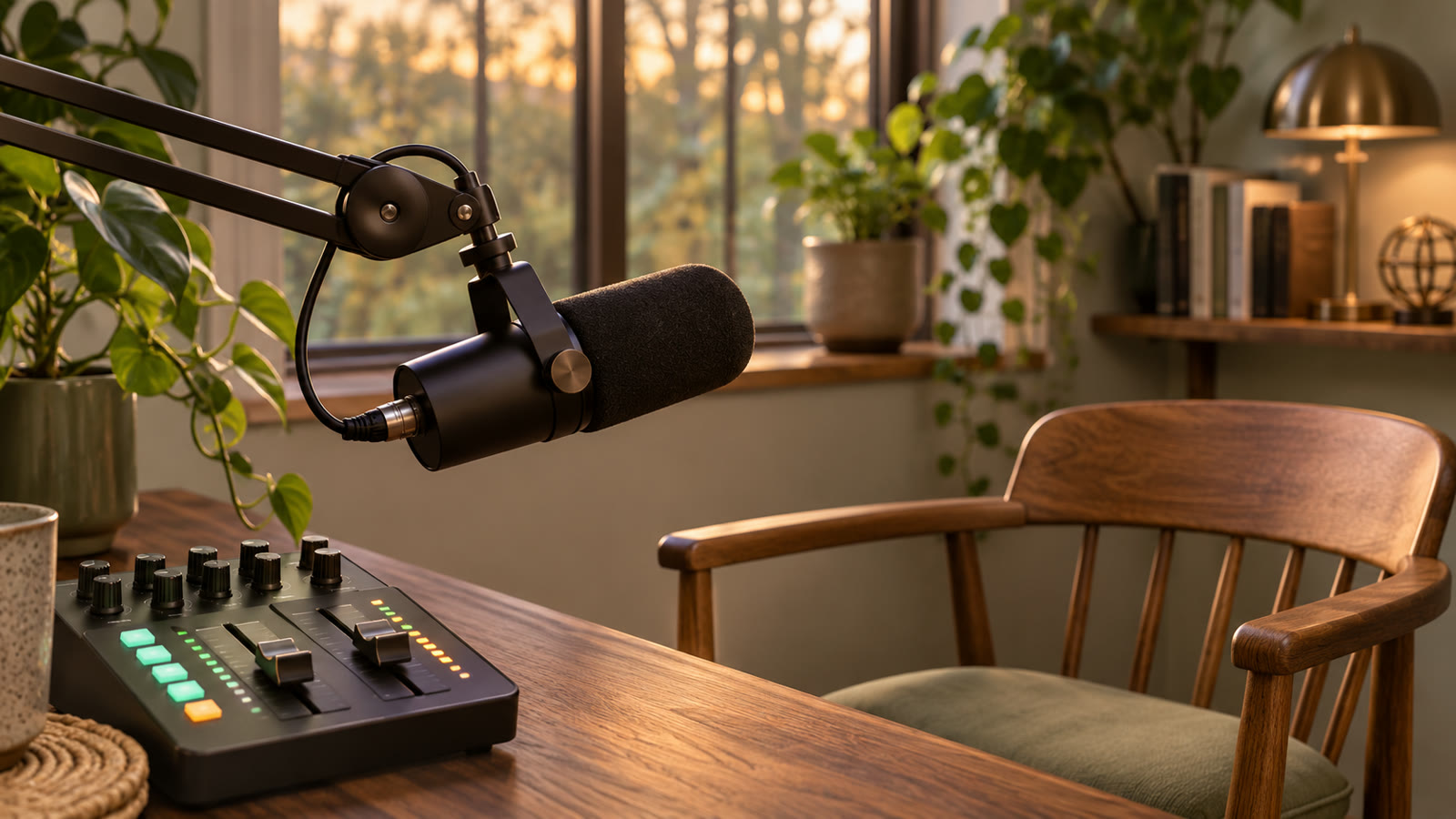
Free Music for Livestreams: Starting Soon, Chat and Closing
Choose one track for the waiting screen, one for the conversation and one for the closing words. Check that the first words come through when you start speaking and that the music ends smoothly when you close.
Imagine a stream about tidying your desk. Use it to check the microphone and music separately, then try three tracks you can download for free from their starts on YouTube.
Change the balance from waiting to talking to signing off
For the waiting screen, show the desk and start time, mute the mic and play music. Before switching to the conversation, turn the music down, unmute the mic and say, “Today I'm going to tidy my desk.”
At the end, show the tidy desk and say goodbye with the music low under your voice. Once you finish speaking, lower the music and stop it as the picture ends. The bands in the illustration show relative levels.
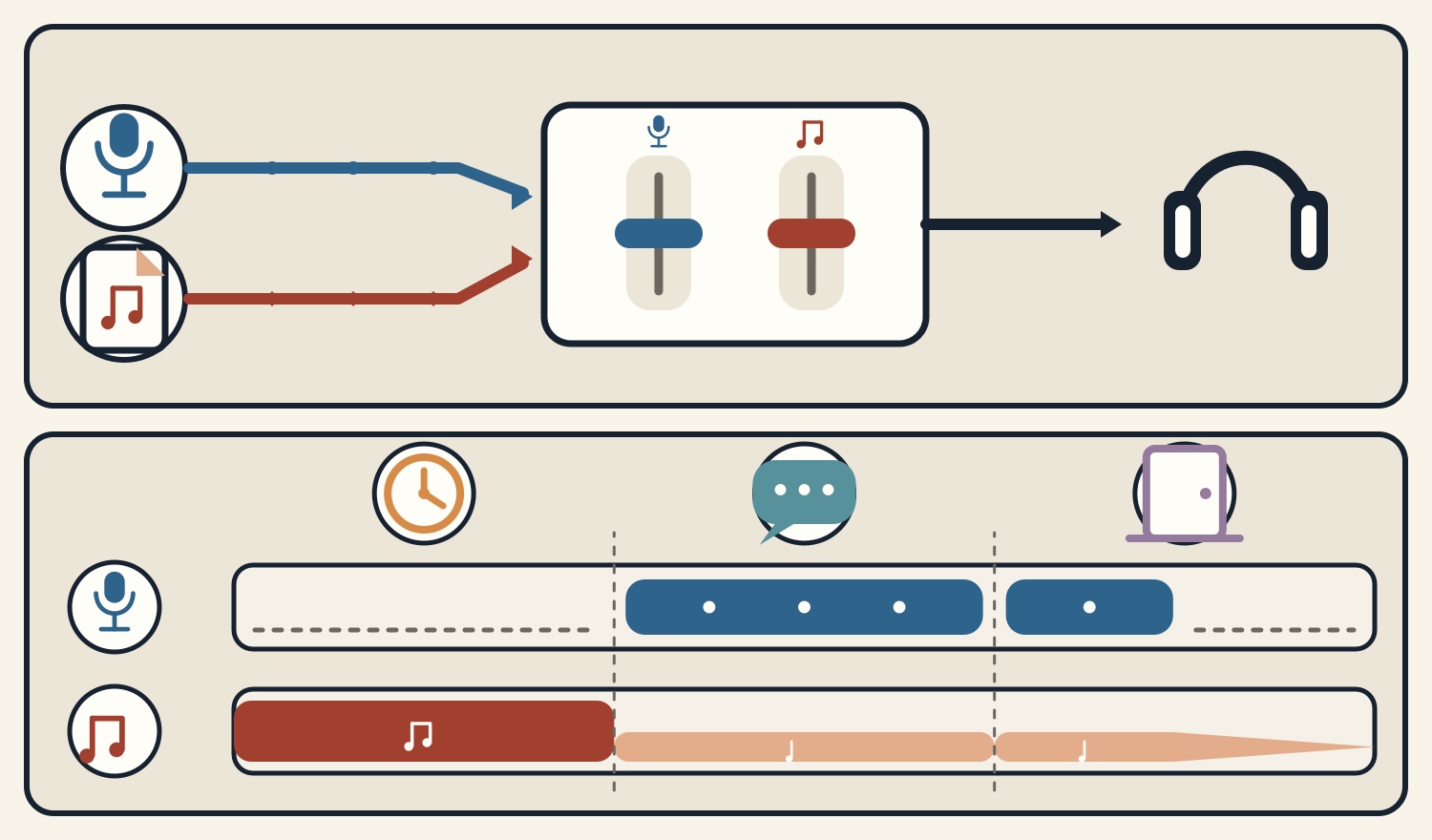
Check the microphone and music separately in OBS before going live
Add the downloaded file as a Media Source in OBS. Check for separate microphone and music entries in the Audio Mixer. Mute the mic to hear just the music, then mute the music to hear just the mic. If the track keeps playing while its source is muted, check whether another source captures it too.
Make a short local recording. Try the switch from the waiting screen into “Today I'm going to tidy my desk,” then say goodbye and stop the track. Listen to the file on a phone or another device. Check that a softly spoken first line comes through and that the mute changes and the ending sound natural.
For automatic ducking, add a compressor to the music source and select the microphone as its sidechain input. Follow the OBS guide and make sure the words stay clear and the music does not jump back up between short breaths.
Starting soon: Marshmallow Morning
Marshmallow Morning (4:30) is chill pop with bells and glockenspiel. Listen from 0:00 on YouTube and try it under a waiting screen showing the desk and start time. Turn it down just before speaking so you can check how the music level compares with the opening words.
If the wait is longer than the track, have another suitable track ready. To loop one piece, listen through the jump from its end back to the start and check for a sudden change in the sound.
Conversation: Cookie Shop Shelter
Cookie Shop Shelter (4:16) is a gentle track with ukulele. Listen from 26:32 on YouTube and choose a passage to put under speech. Say, “I'll start on the left side,” in your usual voice. Compare how clearly the first words come through before and after lowering the music.
If a sound such as a tool meeting the desk matters, include it in the test. Compare turning the music down around speech and desk sounds with leaving it low through the whole conversation.
Signing off: Back to the Cloud Bed
Back to the Cloud Bed (4:30) brings back the bell melody from the morning. Listen from 53:06 on YouTube and try it with the final shot of the tidy desk and your goodbye.
Keep it low while speaking and stop it before the picture ends. Also record a longer goodbye and check for abrupt jumps in the music during your words or audio continuing after the picture ends.
Check the terms for livestreams and archives
The three tracks are royalty-free and free to download. The usage guide permits commercial and non-commercial videos and streams with no credit requirement. Standalone redistribution or sale of the audio and use for AI training are prohibited.
For music from another source, check whether the terms cover live streams, archives and clips from the stream. YouTube says matches with third-party content can affect a livestream. If you get a notice, check the matched audio and its terms.
- 1
Three tracks to try in a livestream
Hear one option for the waiting screen, one for conversation and one for signing off.
These sounds from arcalune
FAQ
- Can I use the same track while waiting and chatting?
Yes. Lower the music before speaking, unmute the microphone and listen to a recording to check that the first words come through.
- What level in dB should I set my stream music to in OBS?
Set the level for your particular voice and track. Adjust the mic and music separately, then listen to a local recording and make sure even softly spoken words are clear.
- What should I check when looping music on a waiting screen?
Check the source terms and listen across the end of the track and the return to the start. If the level jumps, choose a different track or plan changes to fit the wait.
- How can I check the music before going live?
Make a local recording of the switch from the waiting screen into conversation and from the goodbye into the closing shot. Play it back to check how the voice and music change.
- Can I use these three tracks in a monetized livestream?
Yes. They are royalty-free and free to download. The usage guide permits commercial use with no credit required. Standalone redistribution or sale and AI training are prohibited.