
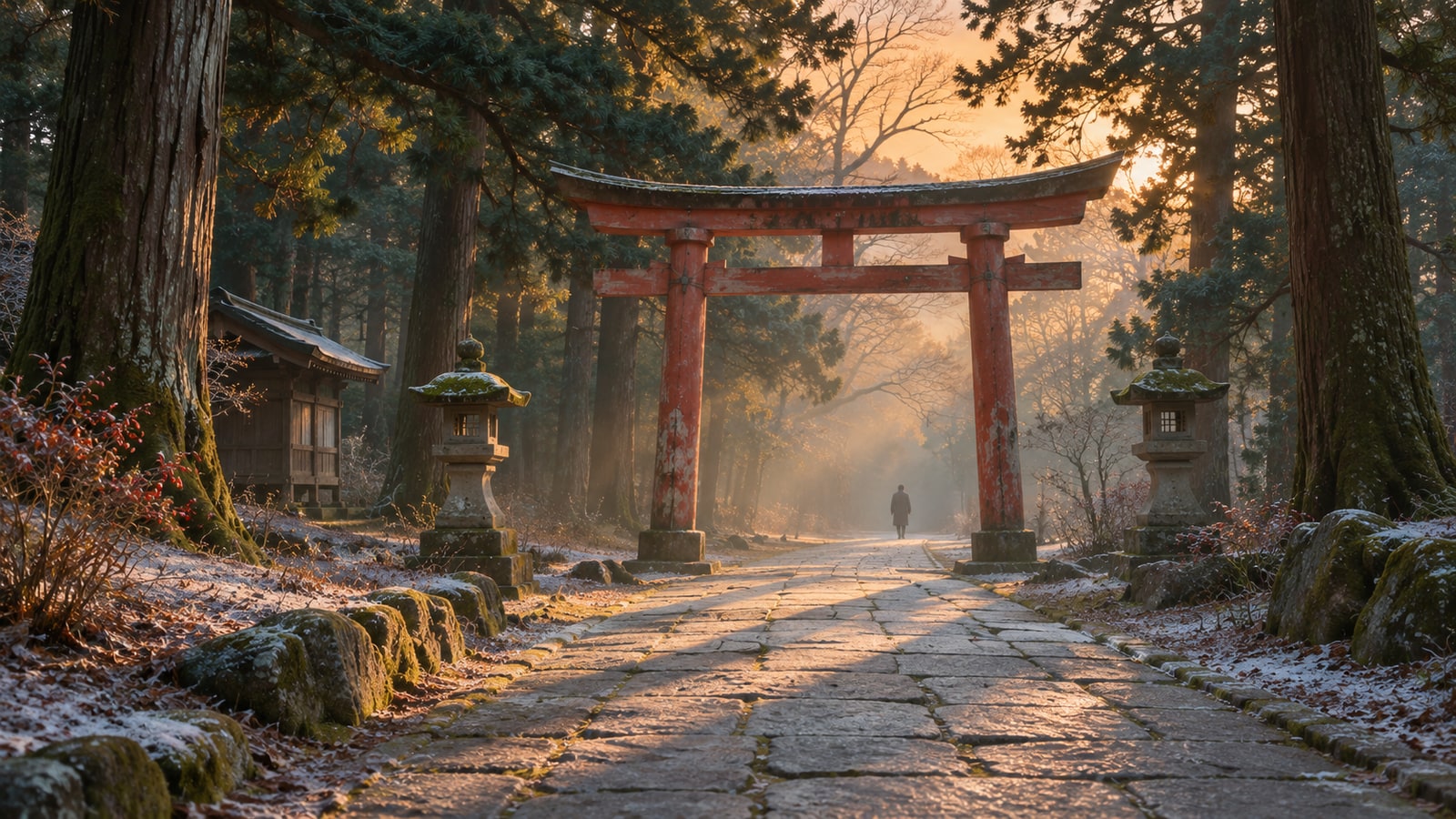
Free Music for Japanese New Year Videos | 2 Tracks
When making a Japanese New Year video, start by deciding what viewers should notice. A 15-second greeting needs enough time to read the text, while a 30-second greeting needs enough time to hear the voice. In hatsumode footage, footsteps and voices recorded on location can also help show where the scene is taking place.
Here are two original tracks from our site, both inspired by travel landscapes, to try with New Year greetings and hatsumode footage. Both can be downloaded for free.
How this list was chosen
- The 15- and 30-second timelines are the lengths of the short videos you create. The YouTube times 0:00 and 26:45 indicate where each track starts within the original official video.
- The track lengths and the published descriptions of shinobue, koto, and seventeen-string koto guided this selection. In “Footsteps in the Morning Fog,” the footsteps are expressed through the sound of the koto. Use the sound recorded while filming when you want to keep actual footsteps and voices from a hatsumode visit.
Set the 15-second edit by the time needed to read
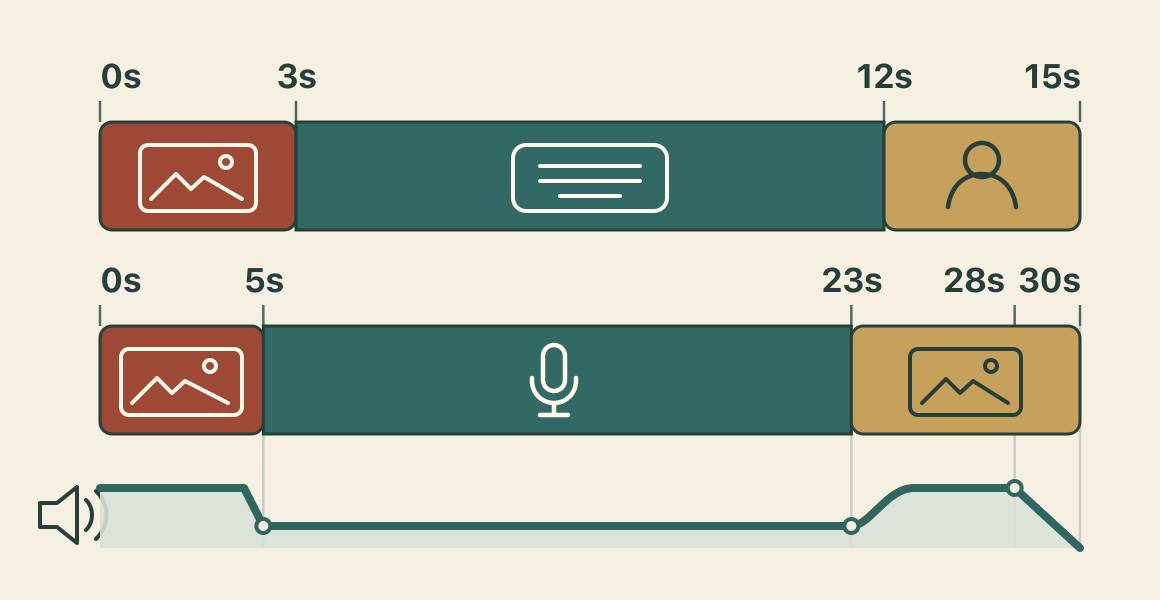
Use 0–3 seconds for the title, 3–12 seconds for a short greeting, and 12–15 seconds for the sender’s name or business name. For example, separate the title “Happy New Year” from the greeting “Wishing you all the best this year.” Before adding more photos, read the greeting aloud and check that it fits within nine seconds.
If the text is too long, remove words from the end or switch to the 30-second version. To give the ending a softer finish, slowly lower the BGM over the final two seconds.
Place the voice first and lower the BGM in the 30-second edit
Show the first photo and title from 0–5 seconds, place the spoken greeting from 5–23 seconds, and use 23–30 seconds for the closing photo and sender. Assemble the photos, text, and voice first, then check that the greeting fits within 18 seconds.
Lower the BGM just before the first spoken word. When the voice ends at 23 seconds, bring the music back gradually. Fade it out over the final two seconds if needed. If the voice is difficult to hear, lower the BGM further or compare a version with no music during the spoken section.
Compare 2–4 seconds of on-location sound during hatsumode
Hatsumode is the custom of making the first shrine or temple visit of the new year. For the video, choose one 2–4-second shot where you want to keep the sound recorded on location, such as feet walking up stone steps or a companion offering a brief greeting. Compare one version joined with BGM only and another that keeps the footsteps or voices recorded while filming.
You do not have to keep BGM running throughout the video. First check that the voice can be heard and the text can be read. If necessary, join the shot where you want to feature the on-location sound without BGM.
Try “Rainbow over the Valley” for a bright greeting
“Rainbow over the Valley” is 4 minutes 15 seconds long. Its published description depicts a rainbow over a misty valley after the rain, with shinobue and koto building a bright melody together. Try it with a 15-second version that shows photos and a short greeting, or at the opening of a 30-second version.
The track starts at 26:45 in the official video. Place it at the beginning of your greeting video and check where to change to the next photo while keeping the title on screen for three seconds.
Try “Footsteps in the Morning Fog” for the opening
“Footsteps in the Morning Fog” is 4 minutes 29 seconds long. Its published description depicts a mountain path wrapped in morning fog at dawn, with a deep seventeen-string koto moving note by note like footsteps. Try it for the approach to a hatsumode visit or for a shot of someone walking.
You can hear it from 0:00 in the official video. If you want to keep footsteps or voices recorded while filming, change the volume over the same 2–4-second shot and check that the BGM does not cover the on-location sound.
Check the free download and usage terms
Both tracks are free to download. Under our usage terms, you pay no royalties each time you use them in a commercial or noncommercial video. Credit is optional.
Redistributing or selling the audio as standalone files and using it for AI training are prohibited. Before publishing, check that your intended use falls within the guide.
References
Explore the winter list for snowy scenes
If your video also includes scenes beyond Japanese New Year, such as snow, a winter morning, or lights at night, explore more candidates in the winter BGM list. Try two tracks with the same photos and voice, then keep the one that interferes less with the text and speech.
References
- 1
New Year Greeting in Text
A track depicting a valley after the rain with shinobue and koto. At 4 minutes 15 seconds, it can be placed at the start of a 15-second greeting to test where to change photos.
Use it forNew Year text greeting, Photo transitions
These sounds from arcalune
- 2
Opening a Hatsumode Visit
A 4-minute 29-second track depicting a misty mountain path with a deep seventeen-string koto. Try starting it as the walk begins, then lowering it for shots where footsteps recorded on location should be heard.
Use it forApproach to hatsumode, Editing that keeps footsteps
These sounds from arcalune
First assemble the photos, text, and voice for a 15- or 30-second version without BGM. Then place “Rainbow over the Valley” and “Footsteps in the Morning Fog” over the same video in turn, and compare whether there is enough time to read the text and whether the voice and footsteps remain audible. Finally, adjust the BGM level and ending, check the usage guide, and export the video.
FAQ
- What should I do if the New Year greeting cannot be read in 15 seconds?
If the text cannot be read within the nine seconds from 3–12 seconds, remove words from the end or move it to the 30-second version. Read it aloud to measure the time before making the text smaller to fit more on screen.
- Should BGM keep playing when I retain footsteps and voices from hatsumode?
It does not have to play continuously. Compare the same 2–4-second shot with BGM only and with the on-location sound retained. If the voices or footsteps are difficult to hear, join that shot without BGM.
- How long are the featured tracks?
“Rainbow over the Valley” is 4 minutes 15 seconds, and “Footsteps in the Morning Fog” is 4 minutes 29 seconds. Listen from the start of each track in the official video, then choose the section to use with your greeting or approach footage.