
Free Intro and Outro Music: Edit the First and Last 10 Seconds
Choose intro music around the first image and the transition into the main video. For the outro, fit the music around the reveal and the invitation to watch next. Decide where the music ends with the picture.
A 45-second video of folding a paper box shows how the first and last ten seconds can work. Try four free tracks from their starts on YouTube. All four allow commercial use under our usage guide.
Show the idea at the start and the result at the end
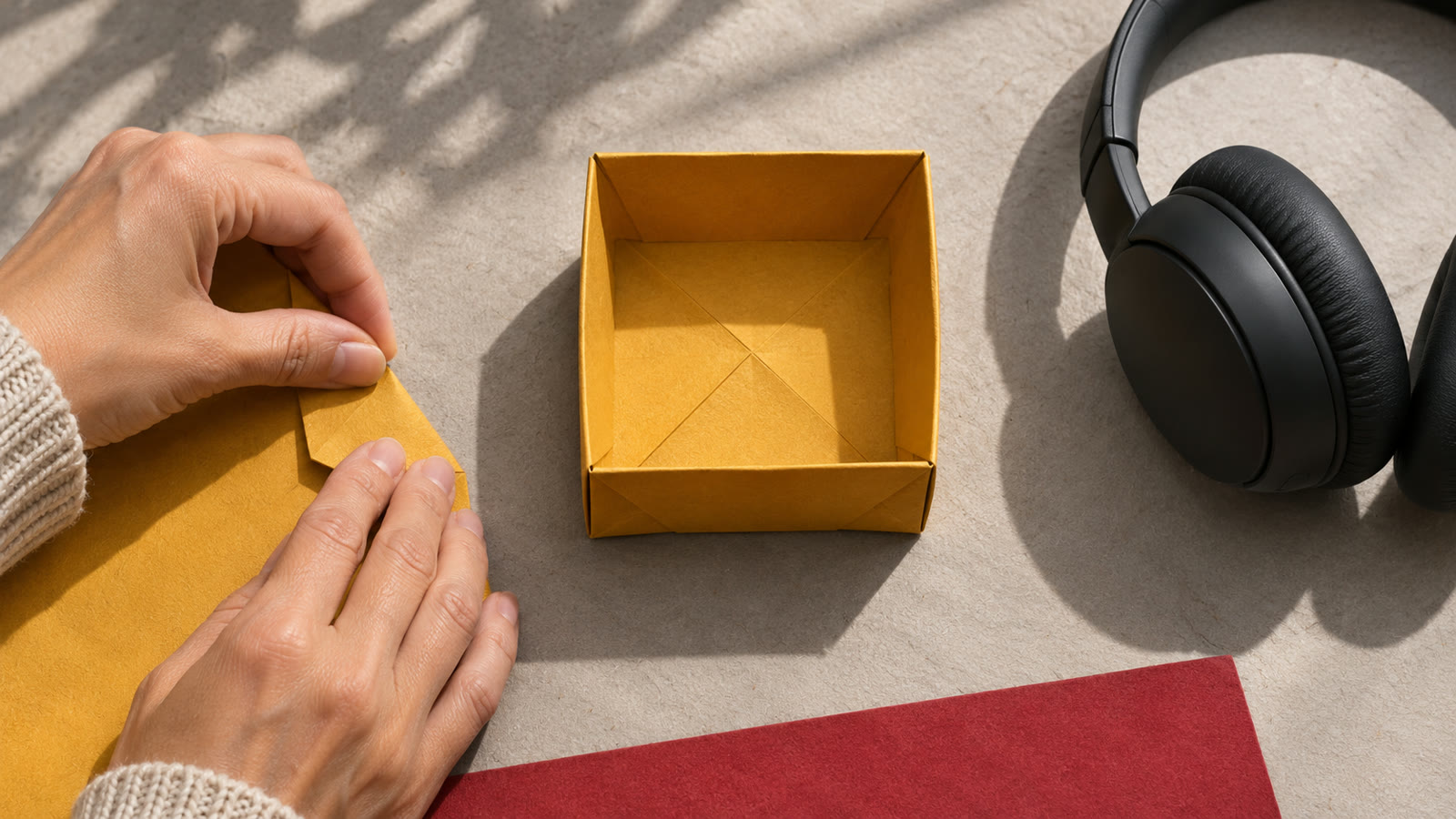
Show the finished box first so viewers know what the video is making. Add a title and a short spoken line, then cut to the first fold. Check that the music carries you into the tutorial while leaving the words clear.
At the end, show the box and give a short recommendation for what to watch next. Leave space in the remaining shot for that recommendation. Mark the voice and the music's ending so sounds and messages have room to be heard.
Compare the first and last ten seconds of a 45-second edit
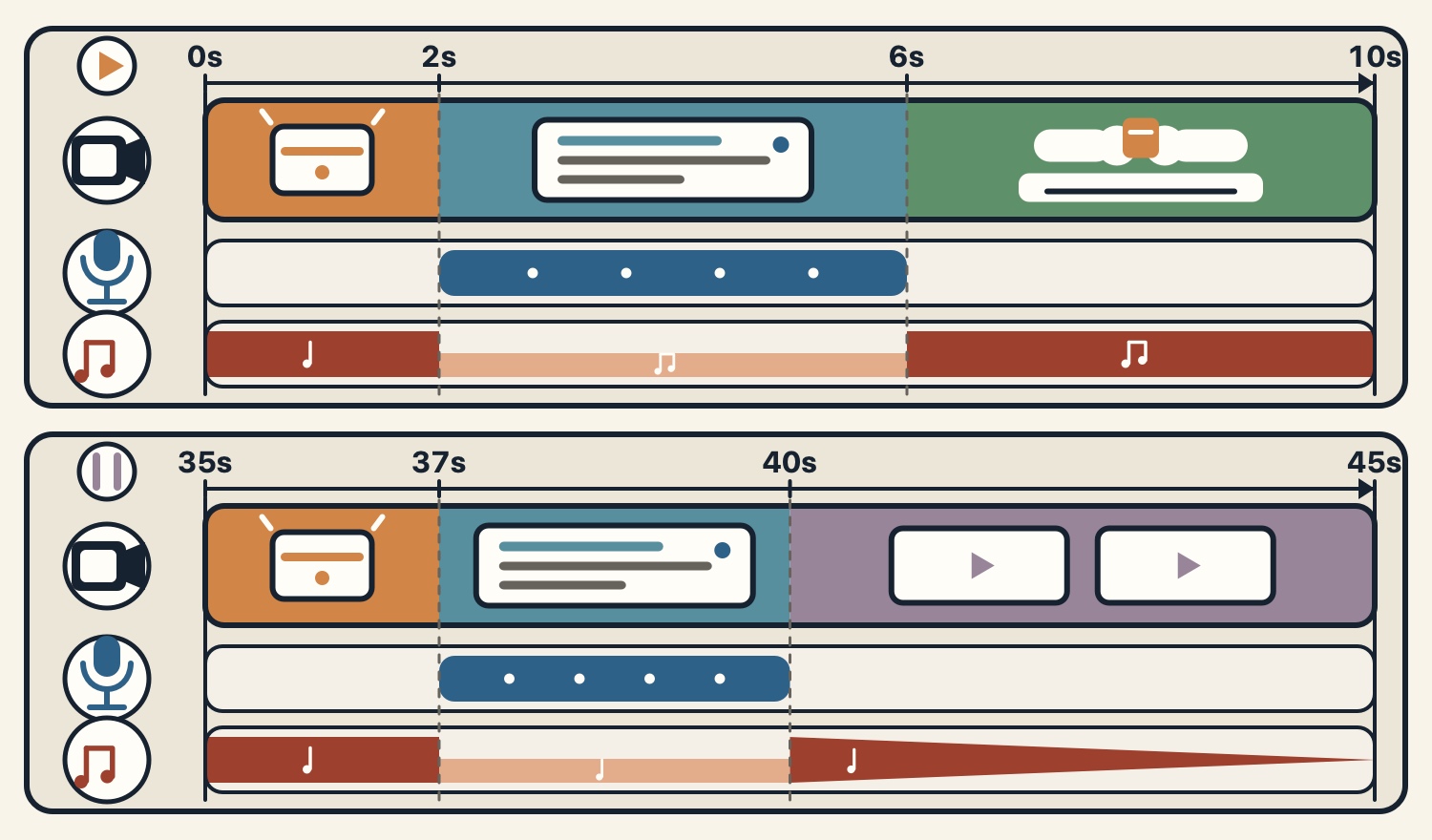
From 0 to 2 seconds, show the finished box. From 2 to 6, show the title and say, “We'll make a box from one sheet of paper.” From 6 to 10, show the hands folding. Let the music lead at first, lower it when the voice comes in and decide whether to keep it under the tutorial.
From 35 to 37 seconds, show the finished box. From 37 to 40, say, “Next, we'll make a box with a lid.” From 40 to 45, hold on the box and leave room for the recommendation. Lower the music under the voice and end it by 45 seconds. If the line runs long, move the cut to fit it.
Leave room for a YouTube end screen
The final shot, text and music you export are part of the video wherever it plays. A YouTube end screen adds interactive elements, such as a link to another video or playlist, to an eligible video. In this edit, leave one side of the frame clear from 40 to 45 seconds so the recommendation does not cover the box.
YouTube says eligible videos must be at least 25 seconds long and end screens can be placed in the last 5 to 20 seconds. End screens are unavailable on some videos, including ones made for kids, and viewers can hide them. Check what is available for the publishing format and device.
References
Two free tracks to try for the intro
Accelerating Dawn (3:00) is an electronic track for an energetic opening. Listen from 0:00 on YouTube. Try showing the finished box in the first two seconds, then lower the music under the spoken title.
Shadows at the Gate (2:30) is a pop track with fingerpicked acoustic guitar. Listen from 16:59 on YouTube and try lining up a phrase change with the cut to the hands at 6 to 10 seconds.
Two free tracks to try for the outro
Pages of Memory (3:04) is a piano track that evokes looking through old photos. Listen from 30:13 on YouTube. Try where to begin fading it as the finished box stays on screen from the reveal at 35 to 37 seconds into the last shot.
The Last Candle (4:15) brings a minuet melody from the morning back in a string quartet. Listen from 53:16 on YouTube. Lay it under the recommendation at 37 to 40 seconds and find a passage that lets the words through and ends by 45.
Check the speech and the transition into the tutorial
At the same volume on the same device, play the edit with and without lowering the music under the voice. Check whether you can make out the name of the object and the video being recommended on the first listen.
If you switch tracks in the main video, try the change as the title disappears and again on the first fold. At the end, check that the box and the space for the recommendation are both visible and that the sound ends smoothly with the shot.
Track lengths and royalty-free usage terms
Each track page gives the full track length. The YouTube link opens where that track begins in its collection video. For a ten-second edit, get the track from its page and choose a passage within the permitted uses.
The four tracks are royalty-free and free to download. The usage guide allows commercial and non-commercial videos and streams with no credit required. Standalone redistribution or sale and use for AI training are prohibited.
References
- 1
Four tracks for the opening and ending
Try the first two tracks for the intro and the last two for the outro.
These sounds from arcalune
FAQ
- Can I use the same track for the intro and outro?
Yes. Check how it carries the title and speech into the main video, then whether it leaves room for the recommendation and ends with the final shot.
- Does a ten-second intro need a ten-second track?
You can use a passage of a longer track if the terms allow it. The four track pages list durations from 2:30 to 4:15. Choose a section that fits your edit.
- When can a YouTube end screen appear?
Eligible videos of 25 seconds or more can add it in the final 5 to 20 seconds. It is unavailable on some videos, including ones made for kids, and viewers can hide it.
- How long should the title card stay on screen?
This edit uses 2 to 6 seconds for the title and speech. Fit your timing to the amount of text and the spoken line so viewers have time to read.
- Can I use these four tracks in commercial videos?
Yes. They are royalty-free and free to download. The usage guide allows commercial use with no credit required. Standalone redistribution or sale and AI training are prohibited.