
10 royalty-free BGM tracks for game streams — Waiting, chat and gameplay
When adding background music to game commentary or a live stream, compare it under your real voice and game audio instead of choosing by mood alone. Leaving a scene without added music is also an option.
These 10 published catalog tracks are divided into waiting and opening, chat and explanation, regular play and exploration, and tension and battle. The groups are candidates based on public tags and descriptions, not guarantees about how the audio will fit. Switch between two candidates and no added music under the same short clip before choosing.
How this list was chosen
- Divide the stream into four situations: waiting and opening, chat and explanation, regular play and exploration, and tension and battle.
- Use public tags, descriptions, duration and download availability to narrow the list. Do not assume audio quality, loudness or seamless looping.
- Compare two candidates and no added music under the same short clip containing voice, controls, cues, warnings or other game audio you want to keep.
- Use long videos to browse several candidates together and the individual cards below to preview and download a track.
Browse candidates in three collection videos
These published videos run for 22:47, 2:13:16 and 2:57:22. Browse tracks in sequence, then preview and download one at a time from the 10 cards below.
 50 tracks
【フリーBGM】Bright Pop - 50 Tracks 明るい・軽快 / Vlog & Review|Royalty Free
A music video containing 50 tracks, including Stepping on Shadows, Seven O'Clock Slant, Packed Before Seven, and more. Watch the video and open each track at its exact start time.
133:16
 10 tracks
【フリーBGM】ポップ・エレクトロ 10曲 Vlog/ガジェット紹介/実況/ドライブ|Royalty Free BGM
A music video containing 10 tracks, including Bonus Stage, Coastline, Curtain Up, and more. Watch the video and open each track at its exact start time.
22:47
 50 tracks
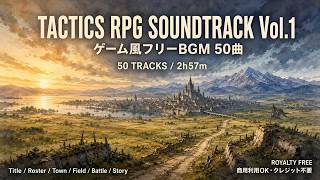
【フリーBGM】Tactics RPG Soundtrack Vol.1 - 50 Tracks ゲーム風BGM / Jazz Orchestral|Royalty Free
A music video containing 50 tracks, including Before the Banners Rise, The War Was Already Old, The Road We Chose, and more. Watch the video and open each track at its exact start time.
177:22
Compare the same scene, position and length
Choose one short clip containing your voice and the game sounds you want to keep. Place two candidates from comparable positions under that clip for the same length, and also switch to no added music. If speech or an important sound becomes hard to follow, lower the music or remove it.
A track chosen for the waiting screen does not need to continue through a battle. Repeat the same short comparison when the situation changes, then decide whether to change the track or leave that part without added music.
Use three long videos and 10 individual track cards differently
The 10-track pop and electronic video runs for 22:47, Bright Pop 50 for 2:13:16, and Tactics RPG 50 for 2:57:22. Browse several candidates in the long videos, then return to the individual cards below to preview and download a promising track. Downloads are provided through the individual cards, not the long videos.
References
Check the music terms and game-streaming terms separately
The 10 tracks are royalty-free background music available for commercial use under the usage guide. Check the current credit and redistribution terms before use.
Permission for game footage, in-game audio, streaming and monetization differs by game. Separately check the streaming guidelines published by the rights holder for the game you are using.
References
Compare waiting and opening music with your greeting
Use the same short range from the waiting screen through the first spoken line, switching between two tracks and no background music.
- 1
Funk & Pop
These are a 3:20 jazz-funk track and a 2:36 pop-funk track. Both carry a public streaming tag; the first also has an opening tag, while the second is tagged upbeat. Place each under the same start screen and compare it with your opening greeting.
Use it forWaiting screen, Stream opening, Opening greeting
These sounds from arcalune
- Switch the Lamps On3:20
- Curtain Up2:36
Test chat and explanation music with your voice
Keep the actual voice from a chat and a rules explanation, then compare both candidates from the same position for the same length.
- 2
Jazz & Pop
The 3:18 jazz track is publicly tagged warm, chill and commentary; the 1:21 pop track is tagged bright, upbeat and commentary. Test them for equal lengths in a longer chat segment and a short rules or controls explanation, with your voice included.
Use it forChat, Rules explanation, Controls guide
These sounds from arcalune
Keep game audio when comparing regular play and exploration
Choose one short clip each from regular play, a menu and exploration, then test with the controls and environmental sounds you want to keep.
- 3
Pop, Ambient & Orchestral
This group contains 2:17 and 2:13 pop tracks, a 3:00 ambient track and a 3:52 orchestral track. Their public tags point to bright gameplay for the first two, gentle preparation for the third, and adventure or travel for the fourth. Compare them briefly under the same gameplay, menu and exploration clips.
Use it forRegular play, Menus & preparation, Travel & exploration
These sounds from arcalune
Compare tension and battle music with important game audio
Use the same short clip containing cues, attacks, warnings or other sounds you want to keep, switching between two tracks and no background music.
- 4
Tactics RPG
The 3:22 jazz track is publicly tagged battle, powerful and tension; the 3:11 ambient track is tagged dark, mysterious and tension. Compare them in the same short clip with important game audio, separating a battle peak from a turn or threat you are waiting through.
Use it forBattle, Danger, Opponent turn
These sounds from arcalune
You do not need added music in all four situations. Compare two candidates and no added music under the same scene, then choose the option that keeps your voice and game audio clear.
After browsing in the long videos, preview and download the track you need from its individual card. Check both the usage guide and the streaming guidelines for the game before publishing.
FAQ
- Can I use these tracks commercially in game commentary or streams?
The listed catalog tracks are available for commercial use under the usage guide. Rules for streaming or monetizing game footage and in-game audio differ by game, so also check the guidelines published by that game's rights holder.
- How do I compare music with voice and game audio?
Choose one short clip containing your voice and the game sounds you want to keep. Test two candidates from comparable positions for the same length and also switch to no added music. Lower or remove the music if speech or an important sound becomes hard to follow.
- Should I play the same background music throughout the stream?
Not necessarily. Repeat a short comparison when the stream moves between waiting, chat, regular play and battle, then decide whether to change the track or leave that part without added music.
- Where can I download the tracks?
Use the individual track cards below to preview and download one track at a time. The three long videos are for browsing several candidates together; downloads are provided through the individual cards.